
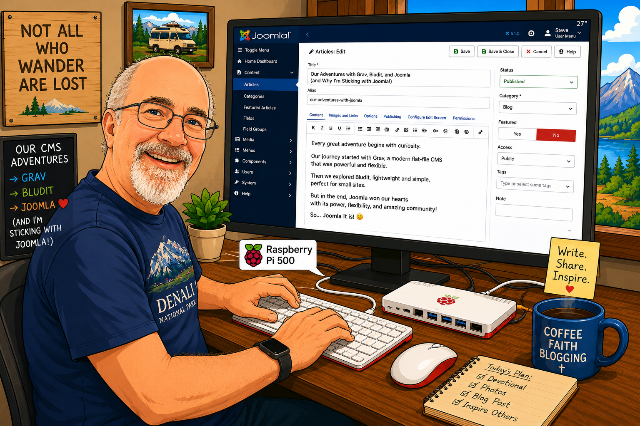
Setting up and running this website on a Raspberry Pi 500 was an iterative process, not an immediate decision.
Although I'm perfectly aware of the capabilities of the Raspberry Pi 500 (mine has 8GB of RAM and 128GB of storage), I really didn't want to create a monster installation on this computer. Now, I've been using WordPress -- a "Content Management System" --- on various platforms since 2004, and one of the reasons I really didn't want to use that tool is that it seems to have turned into a fairly unusable way to do simple blogging.
WordPress runs in an AMP environment. That is, it can run on any machine or server that runs the Apache web server, a MySQL database server, and the PHP scripting language. There are a lot of "themes" that one can buy or download for free; they define the look and feel of the website, as well as the navigation of the site. There are also thousands of plugins, which are extensions that add capabilities to any website.
That flexibility comes at a price. I recently moved a good-sized WordPress website that I run for a non-profit over to Squarespace (a website hosting service) primarily because the site was running very slowly under WordPress and anything that we could do to speed up the site would have been very expensive. Did I mention that it was for a non-profit?
With the LifeBits.blog site, I just use free hosting over on Substack. It's easy and powerful, and of course every article is sent to subscribers immediately. I could have just created a "current projects" sub-Substack and be done with it. But nooooo, not me! I started looking for low-impact blogging tools that would run on a Raspberry Pi… (click that “Read More” link below to get into more details)
The first attempt was installing Grav. It doesn’t require a powerful database like WordPress, instead storing articles as individual files (JSON, I believe). I had one hell of a time getting it installed properly. It was, of course, no problem to download the installation files to the Pi. It was moving it to the /var/www/html file and then getting all of the folder permissions set properly that was a pain in the rear. Once that was figured out, I was able to start looking around the colorful administration page.
Almost immediately I discovered that to do just about anything worthwhile with this tool, I was going to need install extensions to Grav, and they were one of two types — they were either unavailable because the developer who had written them a few years ago had abandoned them, or they were buggy. I wrote an article or two, got fed up with Grav, and started looking elsewhere.
The next candidate was Bludit, which touts itself as “free, open-source, and it supports Markdown”. The latter is described on Wikipedia as “a lightweight markup language for creating formatted text using a plain-text editor.” Got that? I used Markdown quite a bit when I was doing professional blogging, as I could write my articles with a lot of formatting in a Markdown editor like Bear, then paste them right into the content management system (CMS) knowing exactly what the article would look like.
Many of the CMS platforms that I use have pretty darned good WYSIWYG editors already, so it really doesn’t make sense to need a separate app just to write my articles. In fact, when I moved Apple World Today over to WordPress, I stopped using Markdown. That was OK with me; I was always irritated by its inventor, John Gruber, who has pontificated about Apple and politics at his blog (which I am not going to give you a link to) for years.
The installation of Bludit took less time than Grav. I published another post to get familiar with it, but once again I found this CMS to be too limited. Bludit at least appears to have a thriving development community unlike the moribund Grav, but it just didn’t have many of the features I’m used to when blogging.
I did a lot of searching around trying to find a suitable “flat file” CMS like Grav or Bludit. All of them had issues. My final search — just before I was going to give up and create a sub-Substack for LifeBitsBlog.com — was for a “traditional” CMS that wasn’t WordPress that could easily be installed on a Raspberry Pi. At the top of the list was Joomla!, which I had tried in 2015 when I was starting up Apple World Today. It’s a full-fledged, well-supported, and vibrant CMS, and has all of the features of WordPress without being a dog performance-wise.
Installation and configuration took all of about 10 minutes. The installer knew precisely where to put the files, the file permissions were automatically set, and before I knew it, this site was up and running. It runs on MariaDB, uses the same Apache web server I had set up for my Grav and Bludit experiments, and it is incredibly fast, even on a relatively puny server — that Raspberry Pi 500!
The administrator dashboard is very complete and well laid out. This morning when I logged in to finish this post, the CMS did some self-updates. Nice.
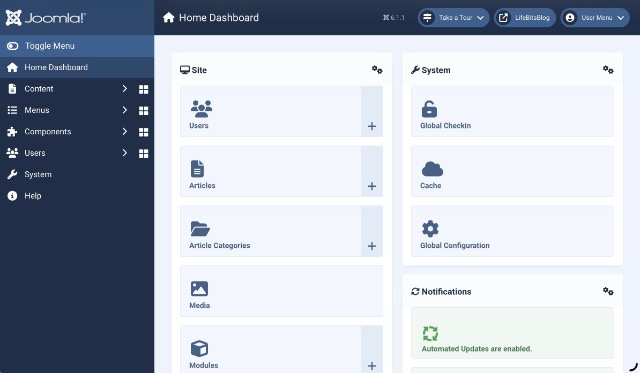
That’s not to say that there isn’t a lot of work that needs to be done on this website, but getting it set up was (after the initial experiments) fast and easy. This is a powerful, extensible CMS so I’m hopeful that we’ll have some fun new features available for you soon!